A BeReal-style dual camera, without the feed
BeReal made the two-sided photo normal: your face and what you were looking at, captured together. DualCapture gives you that camera on its own, for photos and for video, with no timer and nowhere to post.
Get DualCapture on the App Store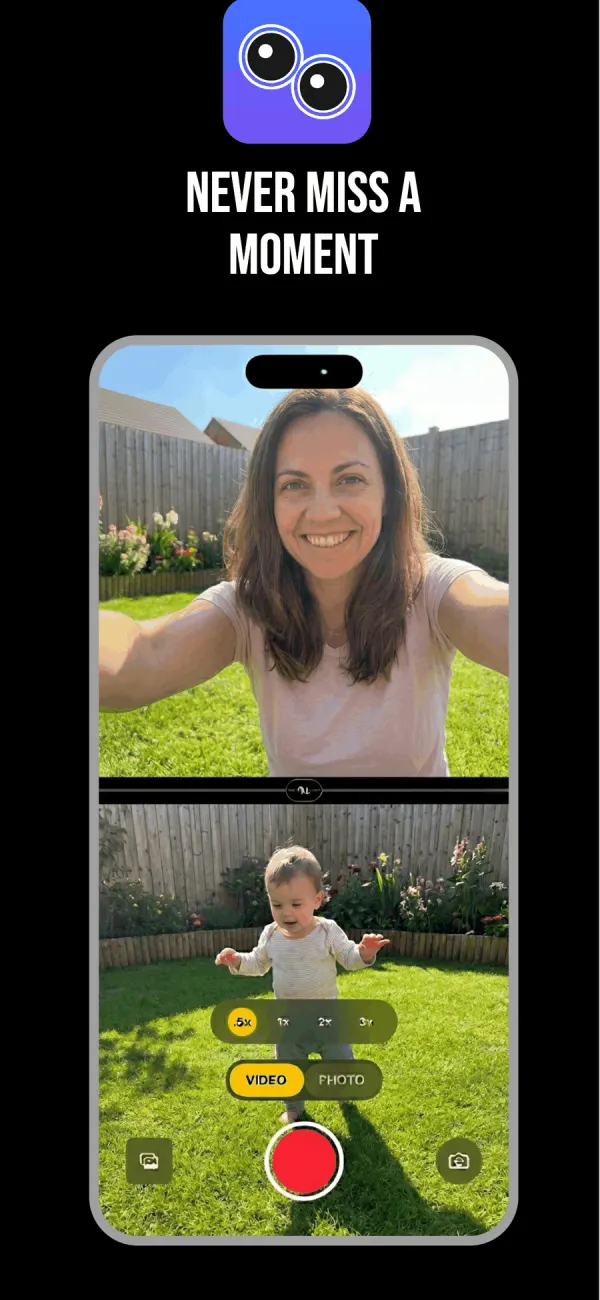
The part of BeReal people actually wanted
The appeal was never the daily notification. It was the shape of the picture. One frame that holds your expression and the thing causing it, so nobody has to ask what you were looking at.
What came attached was a social app: a two-minute window, a friends feed, and a post you could not take back easily. Plenty of people liked the camera and could live without the rest.
DualCapture is the camera part. Open it whenever you want, take the two-sided shot, and it goes to your Photos library. No account. No feed. No countdown telling you that now is the moment.
Photos and video, both sides at once
Photo mode captures both cameras from one tap and saves the selfie and the scene as separate images. Video mode records both lenses at the same time for as long as you hold the take.
That second part is where it goes past what a BeReal-style photo can do. A still tells you someone was at the concert. Thirty seconds of dual camera video tells you the song, the crowd noise, and the face they made when the riff came in.
Choose how the two sides sit together
BeReal has one layout: a small selfie window sitting over the wide shot. DualCapture has three.
Picture-in-picture works the same way, except you drag the selfie window wherever you want it. Split screen is the one to try next. It stacks the cameras top and bottom, or sets them side by side, and the divider is draggable, so the halves do not have to be equal. Give the view three quarters of the frame when the view deserves it.
A swap button trades the feeds, so the front camera can be the main shot instead. Set that, the layout and the divider before you press record, because all three stay fixed for the whole take.
Three files, and none of them leave your phone
One recording writes three files straight into Photos: the front camera alone, the back camera alone and the combined video. Premium's Dual Orientation setting, off by default, saves each camera as both a vertical and a horizontal video instead, so one take covers a Story and a YouTube upload.
Because the individual clips are saved too, a moment you shot casually can become a real edit later. Nothing is posted anywhere by the app, so what you share and when is a decision you make afterwards, in whatever app you would have used anyway.
The free version adds a DualCapture.com watermark and stops a take at 3 minutes. Premium removes both. Settings go up to 4K and 60 fps, though your iPhone model can hold them lower with two cameras running, and 4K needs Premium. A stabilization toggle covers the back lens when you are moving.
What it needs
iOS 18 or later, and an iPhone with multi-camera support, which the App Store listing puts at iPhone XS, XS Max, XR and newer (we build and test for iPhone 15 and newer). The app is free to download and record with. Premium adds 4K, every layout, no watermark and no time limit, as a weekly, monthly or yearly subscription, or one lifetime purchase.
On iOS 26, Apple added its own Dual Capture mode to the Camera app for iPhone 17, iPhone 17 Pro, iPhone 17 Pro Max and iPhone Air, and it is also on the iPhone 18 Pro, iPhone 18 Pro Max and iPhone Duo. It is free, and it records video with a front overlay you can drag around. It has one layout, produces one file, and does not take dual camera photos.
Frequently asked questions
How does BeReal’s dual camera work?
From one tap, BeReal takes a photo with the back camera and one with the front camera, then shows your selfie as a small window over the back photo. You can only post it inside BeReal.
Is this the same as BeReal?
No. BeReal is a social app built around a friends feed and a daily prompt. DualCapture is only the camera: it records both sides and saves them to your phone.
Can I take a BeReal-style photo without posting it?
Yes. Photo mode captures both cameras at once and saves the two images to your Photos library. Nothing is uploaded.
Does it do the small-window-over-the-big-picture look?
Picture-in-picture does exactly that, and you drag the selfie window into any corner before you record.
Can I record video from both cameras, not just photos?
Video is the main mode. Both cameras run together. Free takes stop at 3 minutes; Premium has no cap.
Which iPhones support it?
Any iPhone that supports simultaneous multi-camera capture on iOS 18 or later. The App Store listing allows iPhone XS and newer; we build and test for iPhone 15 and newer.
Do I need an account?
No. There is no sign-up, no profile and no feed. You open the app and record.
Sources
Try it on your iPhone
Get DualCapture on the App Store